ScanaBug uses artificial intelligence to suggest what a bug, insect or spider is from a photo. This page explains in plain language what that means, what the tool can and cannot do, and what happens to your photo.
You are using an AI system
The result you receive, including the suggested name, the safety label and the related notes, is generated automatically by an AI image recognition system. A person does not review your individual photo.
What happens when you upload a photo
- You choose a photo on your device.
- The photo is sent securely to our AI provider, OpenAI, together with instructions about what to look for.
- The system compares features it can see, such as body shape, number of legs, wings, antennae, color and markings, with what it knows about insect and spider groups.
- It returns a likely match and a general safety label.
- We show you the result. We do not save your photo in our own database or storage.
What your result shows
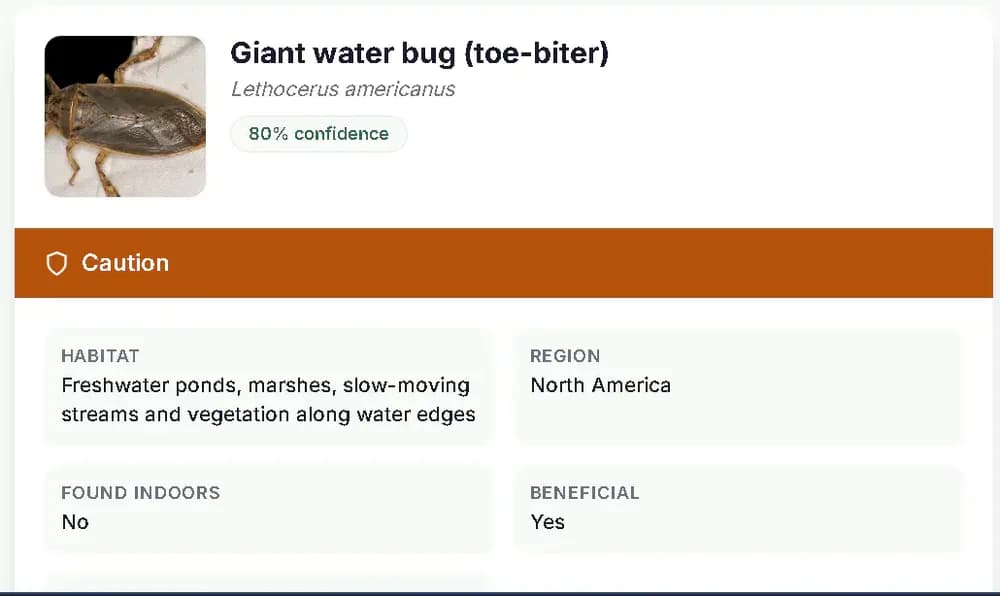
- A suggested name. The most likely match. It may be a species or a broader group, because many bugs cannot be told apart by sight.
- A safety label. Harmless, Caution or Avoid. This is general guidance about the type of bug, based on widely published information. It is not a medical assessment and not a guarantee of safety.
- Next-step notes. Practical tips, with links to our guides where they exist.
- For the Bug Bite Identifier: a list of possible causes, how each kind of bite typically looks, and general advice on when to seek medical help. It does not name one certain cause.
What the tool cannot do
- It cannot be certain. Identification from one photograph has real limits.
- Crushed, blurry, dark or partial specimens are often impossible to identify.
- Larvae, nymphs and many look-alike species cannot be told apart by eye.
- Some mites, tiny flies and similar small species need a microscope.
- Appearance and range vary by region, so a correct-looking match may still be wrong where you live.
- The Bug Bite Identifier can suggest possible causes, but it cannot confirm what caused a bite or sting, diagnose a skin reaction, or tell you whether a bite is safe.
Getting a better result
- Take the photo in good light, in focus, with the whole bug in the frame.
- Add a second photo from another angle if you can.
- Place a coin or ruler beside the bug to show its size.
- Do not touch or capture a bug you think may be venomous. Take the photo from a safe distance.
When not to rely on it
Do not rely on a result for a bite or sting, a possible venomous species, a suspected bed bug or termite problem, or any health decision. See a doctor for health concerns and a licensed pest professional for infestations. Read our Disclaimer.
How the information behind the tool is checked
The guides and the safety guidance on this site are researched against public sources and edited and fact-checked by the site owner, as explained in our Editorial Policy. Individual photo results are generated automatically and are not reviewed by a person.
Your photos and your privacy
You do not need an account. We do not save your photo in our own storage and we do not use it to train any model. The AI provider handles the photo under its own API terms, which may allow it to keep data for a limited time for safety and abuse monitoring. Please do not upload photos that show faces or other identifying features, or documents. For a bite, crop the photo to the affected skin only. Full details are in our Privacy Policy.
Tell us when it is wrong
If a result is wrong or confusing, email support@scanabug.com with the page address, what the tool said and what you think the bug is. Reports help us fix guides and improve the tool.